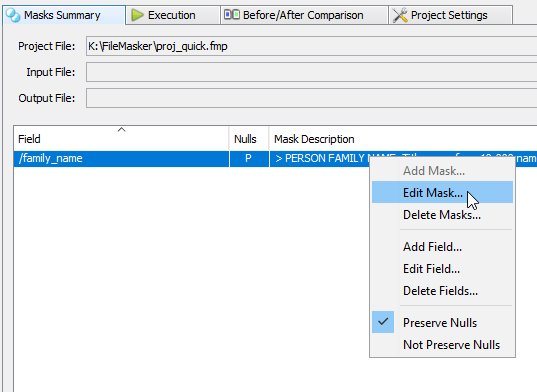
Navigation: Fields > Editing a Field Editing a Field You can add, edit and delete fields by right-clicking on a field definition in the Masks Summary tab. You can also add, edit and delete a mask for the selected field. The field's 'preserve nulls and empty values' setting can also be accessed directly from this popup menu. Note that the 'Add Mask...' option is disabled. This is because the field already has a mask defined for it. Currently, FileMasker does not support conditional masks and so a field can only have one mask defined. Copyright © 2019-2025 DataVeil Technologies Pty Ltd